
Before you start
Test retention changes on a low-risk project first.
Retention settings remove old data from normal product views after background jobs run. Before shortening a window on an important project, decide whether the team needs archive files, confirm the worker is running, and use the jobs page to run a dry verification pass.
| Decision | Use this setting |
|---|---|
| Old non-error telemetry can leave Events and Insights after a fixed window. | Hot event retention. |
| Old span waterfalls can leave performance detail after a fixed window. | Trace span retention. |
| Closed error groups should stay longer than raw telemetry. | Closed error retention. |
| Old rows should be written to archive files. | Archive retained data. |
| Cleanup should stop unless the archive write succeeds first. | Require archive before deletion. |
Fields
Each field controls a separate cleanup scope.
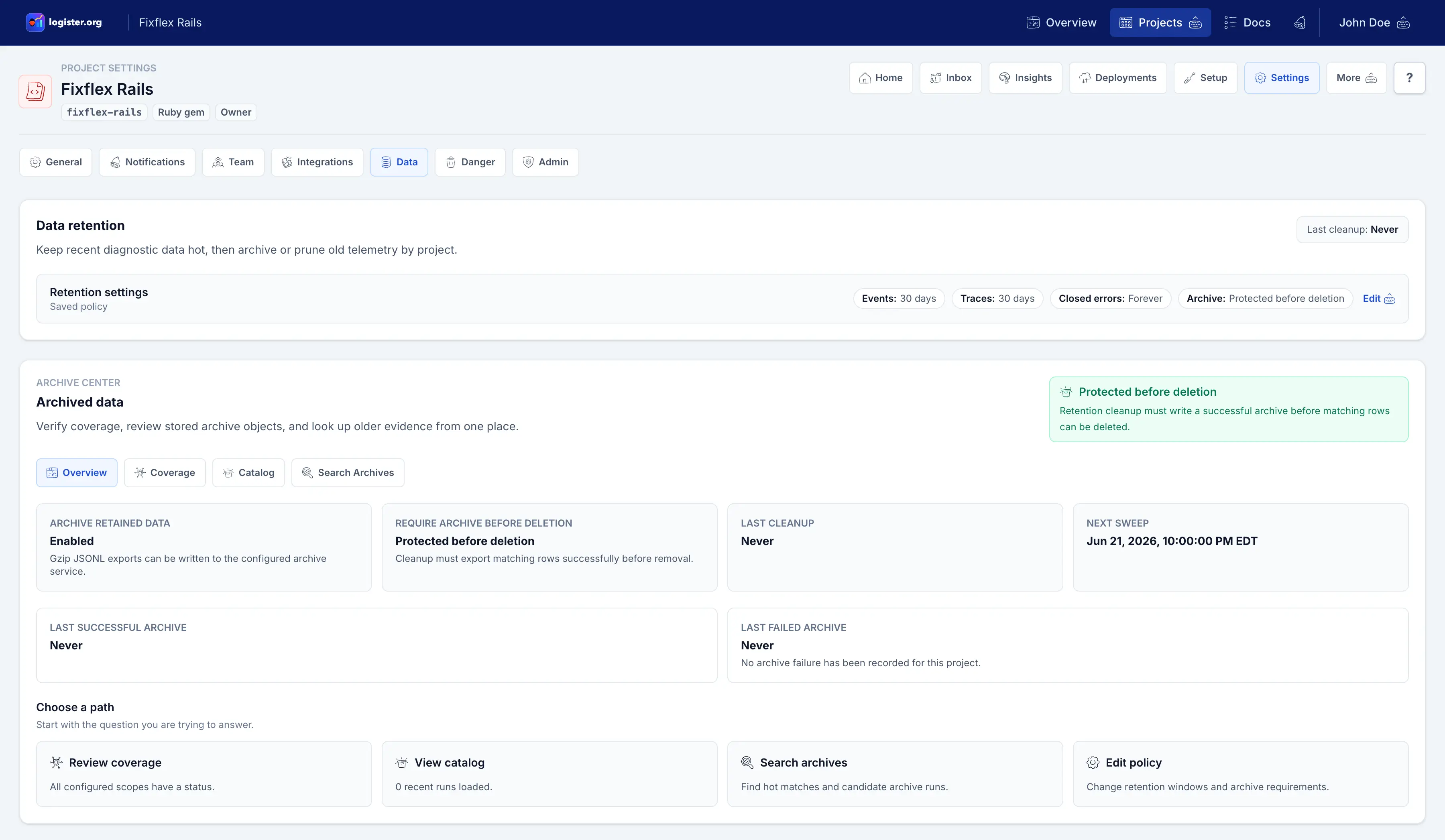
| Field | What it means in the UI |
|---|---|
| Hot event retention | How long logs, metrics, transactions, and check-ins stay available in day-to-day activity views. |
| Trace span retention | How long request timing and waterfall-style span detail stays available for performance review. |
| Closed error retention | How long resolved, ignored, or archived error groups stay available after the team has handled them. Blank means keep closed groups indefinitely. |
| Archive retained data | Allow Logister to write gzip JSONL archive files to the configured archive service. |
| Require archive before deletion | Do not remove matching data unless its archive export succeeds first. This option depends on Archive retained data. |
Verify
Make sure cleanup behaves before relying on it.
- Save the policy on a low-risk project.
- Run a dry retention job or wait for the scheduled worker pass.
- Open
Project > Settings > Dataand check Archive Center if archive retained data is enabled. - Use Coverage to confirm each scope has the status you expected, then use Catalog to inspect recent archive runs and object keys.
- Open Events, Insights, Performance, or closed error views and confirm old data changed only in the scope you expected.
Use jobs and verification for manual commands and archive-run checks.
Troubleshooting
Separate policy choices from worker execution.
| Symptom | What to check |
|---|---|
| Nothing changed after saving | Retention runs in the background. Confirm Sidekiq is running or run a controlled verification command. |
| Require archive before deletion blocks cleanup | Archive storage may be missing or failing. Fix archive storage before expecting rows to be removed. |
| Closed errors disappeared sooner than expected | Check closed error retention separately from hot event and trace span retention. |
| Events changed but spans did not | Hot event retention and trace span retention are separate scopes. |